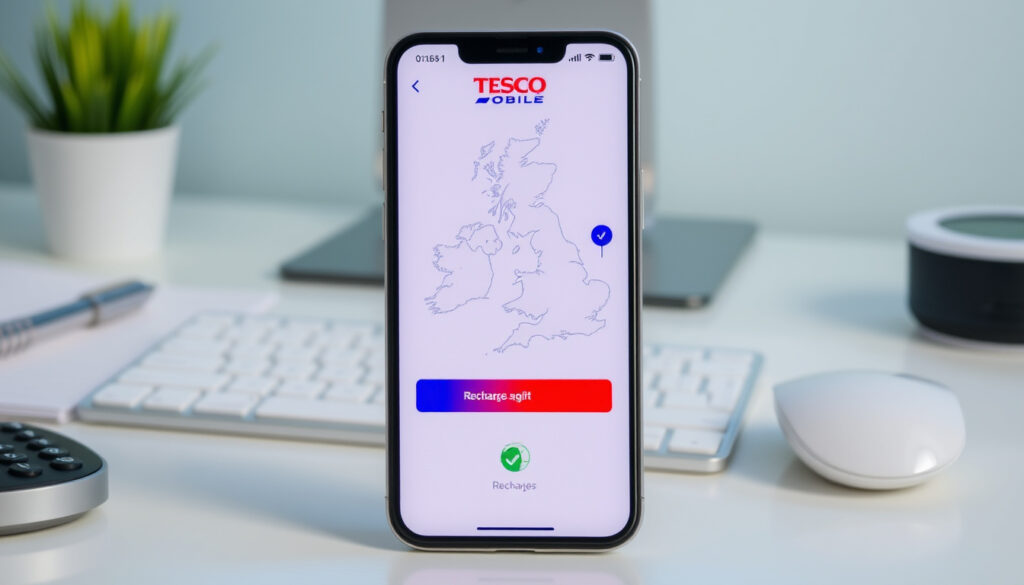
Tesco Mobile Top Up Online: UK & Ireland Guide
Anyone who’s ever needed to top up a prepaid phone knows the small relief of getting it done in a minute. But when the network is Tesco Mobile and you’re serving a phone in the UK or Ireland, the path you take matters: credit card, voucher, app, or even someone else’s number. Here’s how the two official portals work and what you need to know.
Top-up amounts available: £5–£30 (UK) / €5–€30 (Ireland) ·
Accepted payment methods: Credit/debit card, prepaid voucher, app payment ·
Online top-up availability: 24/7 via website or mobile app ·
Countries with dedicated web portals: United Kingdom (tescomobile.com) and Ireland (tescomobile.ie)
Quick snapshot
- Tesco Mobile offers online top-up via website and app on both UK and Ireland portals (Tesco Mobile Ireland – how to top up).
- Credit/debit cards accepted on both portals (Tesco Mobile UK – PAYG tariffs).
- Third‑party top‑up is supported by entering the recipient’s number (ComReg – how to top up a PAYG mobile).
- Whether top‑ups via third‑party services (e.g., Recharge.com) are official partners (Tesco Mobile Ireland – only official channels listed).
- Exact expiration policy for unused credit – varies by account type (Tesco Mobile UK – terms may differ).
- Funds are applied immediately after payment confirmation (Tesco Mobile Ireland – instant top‑up).
- After top‑up, you can purchase a bundle or use pay‑as‑you‑go rates (Tesco Mobile UK – add bundle).
Choosing the wrong portal or method can lead to currency confusion or delayed credit. The upshot: if you’re in the UK, use the app or tescomobile.com; in Ireland, tescomobile.ie works with card or voucher and also supports AIB online banking.
The table below summarises the key figures at a glance.
| Label | Value |
|---|---|
| Minimum top‑up (UK) | £5 |
| Minimum top‑up (Ireland) | €5 |
| Maximum top‑up (UK) | £30 per transaction |
| Maximum top‑up (Ireland) | €30 per transaction |
| Payment processing time | Instant after successful payment |
| Currency | GBP for UK, EUR for Ireland |
How do I top up my Tesco Mobile phone online?
Using the Tesco Mobile website
- Visit tescomobile.com (UK) or tescomobile.ie (Ireland).
- Enter your mobile number and select an amount (£5–£30 or €5–€30).
- Pay with a credit or debit card – Visa, Mastercard and American Express accepted (Tesco Mobile Ireland – card top‑up).
- 3D Secure authentication is required for online payments.
- Credit is applied instantly.
Using the Tesco Mobile app
- Download the free Tesco Mobile app from the App Store or Google Play.
- Log in to your My Tesco Mobile account.
- Tap “top up” and choose an amount (Tesco Mobile UK – top‑up in app).
- If you have saved a card, select it; otherwise enter card details.
- The app also lets you check top‑up history, usage and balance (Tesco Mobile Ireland – app features).
Via bank transfer or standing order
- AIB customers in Ireland can top up directly through AIB online banking (Tesco Mobile Ireland – AIB top‑up).
- This option is not available for UK Tesco Mobile numbers.
The implication: both countries have tailored options that reflect local banking and currency differences.
How do I top up my Tesco Mobile in Ireland?
Top up via tescomobile.ie
- Go to tescomobile.ie.
- Enter your Tesco Mobile number and choose an amount (€5, €10, €15, €20, €25, €30).
- Pay with a debit/credit card – no login required for a one‑time top‑up (Tesco Mobile Ireland – welcome booklet).
- Funds appear on your account within seconds.
Top up using the Tesco Mobile Ireland app
- Download the app from the App Store or Google Play.
- Sign in with your My Tesco Mobile credentials.
- Select “top up” and pick an amount.
- You can also set up a recurring top‑up to never run out of credit (Tesco Mobile Ireland – recurring top‑up).
Using a Tesco Mobile top‑up voucher
- Buy a voucher at any Tesco store or at retail outlets with Payzone or Postpoint (Tesco Mobile Ireland – voucher locations).
- Scratch off the PIN, then enter it on tescomobile.ie or in the app.
- Vouchers are available in €5, €10, €15, €20, €25, €30.
Vouchers give you a physical backup if your card is declined, but you lose the instant‑reload convenience of card or app. For frequent top‑uppers, saving a card in the app is much faster.
The catch: the choice between voucher and app comes down to how often you need to reload and whether you carry cash.
How do I put credit on someone else’s Tesco Mobile?
Online top‑up for another number
- Go to the top‑up page on tescomobile.ie or the UK help page.
- Instead of your own number, type in the recipient’s Tesco Mobile number.
- Select the amount and complete payment as normal.
- No special permission is needed; the recipient receives a confirmation text (ComReg – topping up someone else’s phone).
Using the Tesco Mobile app for third‑party top‑up
- Open the Tesco Mobile app and log in.
- Choose “top up another number” (available in the app).
- Enter the recipient’s number and payment details.
Prepaid voucher as a gift
- Buy a voucher in a Tesco store and give the PIN to someone else.
- They can redeem it on the website or app.
- No account sharing required (Tesco Mobile Ireland – voucher top‑up).
The implication: topping up someone else’s phone is as simple as entering their number. There’s no need to know their account details, and the recipient gets instant credit.
How to top up with a credit/debit card?
Entering card details on the website
- During checkout, enter your 16‑digit card number, expiry date and CVV.
- Visa, Mastercard and American Express are accepted (Tesco Mobile Ireland – accepted cards).
- 3D Secure authentication will verify your identity.
Using saved cards in the app
- Once you save a card in the Tesco Mobile app, future top‑ups are one‑tap.
- Card details are stored securely and PCI‑compliant (Tesco Mobile UK – app payment).
Security and transaction limits
- All online payments are processed over encrypted connections.
- Maximum top‑up per transaction is £30/€30; you can top up multiple times in a day if needed (Tesco Mobile Ireland – top‑up limits).
The pattern: card payments are universally accepted and secure, but the app adds convenience for repeat users.
Can I top up Tesco Mobile online?
Eligibility: prepaid and Pay As You Go only
- Yes, online top‑up is available for all Tesco Mobile prepaid (Pay As You Go) customers.
- Bill pay customers cannot top up; they pay a monthly invoice (Tesco Mobile UK – PAYG vs bill pay).
Top‑up options: website, app, voucher
- Three official channels: tescomobile.ie / tescomobile.com, the mobile app, and physical vouchers.
- You can also top up through AIB online banking (Ireland only).
Top‑up limits and frequency
- Minimum top‑up: £5 (UK) / €5 (Ireland).
- Maximum per transaction: £30/€30.
- You can top up as often as you like with no daily cap (Tesco Mobile Ireland – frequency).
The catch: the UK lacks a similar banking shortcut, making the app the most streamlined option there.
Six features, one pattern: the UK and Ireland portals share the same structure but differ in currency, minimums, and bank options.
| Feature | UK (tescomobile.com) | Ireland (tescomobile.ie) |
|---|---|---|
| Currency | GBP (£) | EUR (€) |
| Minimum top‑up | £5 | €5 |
| Maximum top‑up | £30 | €30 |
| Accepted cards | Visa, Mastercard, Amex | Visa, Mastercard, Amex |
| Voucher availability | Tesco stores, denominations £5–£30 | Tesco stores, Payzone, Postpoint; €5–€30 |
| Bank top‑up partner | Not available | AIB (online banking) |
| Minimum for initial activation | £10 (Tesco Mobile UK – initial top‑up) | None specified |
| Recurring top‑up | Available in app | Available in app |
Confirmed facts and what’s still unclear
Confirmed facts
- Tesco Mobile offers online top‑up via website and app (Tesco Mobile Ireland – how to top up).
- Credit/debit cards accepted on both portals (Tesco Mobile Ireland – accepted cards).
- Third‑party top‑up is supported by entering the recipient’s number (ComReg – topping up someone else’s phone).
What’s unclear
- Whether top‑ups via third‑party services (e.g., Recharge.com) are official partners (Tesco Mobile Ireland – only official channels listed).
- Exact expiration policy for unused credit – varies by account type (Tesco Mobile UK – terms may differ).
- Whether the £10 minimum top‑up for initial activation applies to all UK plans (Tesco Mobile UK – initial top‑up).
The pattern: official sources provide solid confirmation on core mechanics, but some edge cases remain undocumented.
“You can top up online immediately using a debit or credit card – the credit appears on your phone within seconds.”
Tesco Mobile Ireland Help Centre (official how‑to page)
“After topping up, select ‘add bundle’ to choose your first bundle – the minimum top‑up for initial activation is £10.”
Tesco Mobile UK Support Page (PAYG tariffs and top‑up guide)
The final stake is straightforward: Tesco Mobile’s twin portals give prepaid users in the UK and Ireland independent, clear paths to add credit. For a prepaid user in Ireland, the tescomobile.ie portal with voucher or card is straightforward; for UK users, the app is central. The choice between card, voucher or app comes down to how often you top up and whether you need to reload for someone else. For AIB customers, the bank integration is a rare convenience – a small but meaningful edge over the UK system.
monisnap.com, youtube.com, tescomobile.ie, mobiletopup.co.uk
For a broader overview of all available methods, including physical vouchers, see this Tesco Mobile top-up guide.
Frequently asked questions
Is there a fee for topping up online?
No. Tesco Mobile does not charge any fee for online top‑ups via website, app or voucher. Your full chosen amount is added to your balance.
How long does a top‑up take to show on my account?
Credit is applied instantly after payment confirmation – usually within a few seconds. If it doesn’t appear, try restarting your phone or checking your balance in the app.
Can I top up if I am on a bill pay plan?
No. Bill pay customers receive a monthly invoice and cannot add credit via top‑up. Only prepaid (Pay As You Go) customers use the top‑up system.
What should I do if my top‑up doesn’t appear?
First, check your balance in the app or by dialling *10#. If the credit is still missing, contact Tesco Mobile customer support – in Ireland call 1903 or 089 4200000; in UK visit the help page.
Can I top up using PayPal?
No. Tesco Mobile does not currently accept PayPal for online top‑ups. Only credit/debit cards, vouchers, and AIB online banking (Ireland) are supported.
Does my Tesco Mobile top‑up expire?
Prepaid credit generally does not expire as long as you make a chargeable call, text or data session at least once every 180 days (UK) or 12 months (Ireland). Exact terms vary; check your account type.
Can I set up automatic top‑ups?
Yes. In the Tesco Mobile app, you can enable recurring top‑up. Choose a trigger amount and preferred payment method – the system will automatically reload your credit when your balance drops below that level.
More related posts
 Airside Business Park Premier Inn: Parking, Policies & Reviews
 Eid ul Adha 2025: Confirmed Dates and Key Facts
 Fabrizio Romano Transfer News: Latest Updates and Done Deals
 How to Manifest Something – Step-by-Step 369 Method Guide
 US 10-Year Bond Yield: Current Rate, Meaning & Why It Moves
 When Does the CAO Close? 2026 Deadlines & Next Steps
 What Is a Dangerous PSA Level – Charts by Age & Risks
 Tuam Mother and Baby Home – Scandal Facts Timeline and Findings